
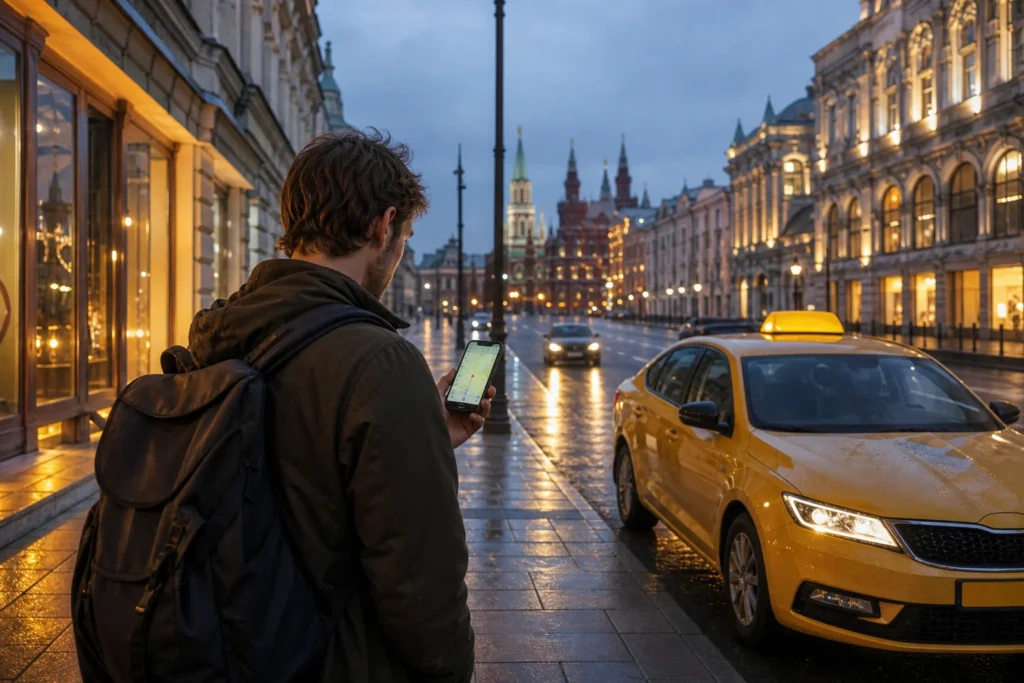
This guide explains how to use taxi apps in Moscow, for travelers who do not read Russian and want to order a ride without negotiating a price. The main app is Yandex Go, which works in English and shows the fare before you book.
The recommended way is to install Yandex Go before the trip, choose cash as the payment method and check the car’s plate before you get in. Foreign bank cards are reported not to work in the app, so keep rubles for the driver.
Quick answer: Install Yandex Go, enter pickup and destination, check the fare, choose cash, and verify the car's plate before boarding. Foreign cards are reported not to work, and the SMS code may not arrive on a foreign number.
At a Glance
| Total time | A few minutes to order; cars arrive in about 3 to 6 minutes in the center, according to a guide |
|---|---|
| Typical cost | The fare is shown before you book and varies by distance, time and class; pay in rubles in cash |
| Last updated | Oktober 7, 2026 |
What You Need Before You Start
- A smartphone with data, and the app installed before you travel
- Rubles in cash, since foreign Visa and Mastercard cards are reported not to work in the app
- A phone number that can receive the verification code, or a workaround such as the Telegram bot
- Your pickup point and destination, in Latin script and in Russian
- Patience at busy places such as airports, where finding the car can be hard
Compare Your Options
| Option | Duration | Price | Notes |
|---|---|---|---|
| Yandex Go, paying cash | A few minutes to order | The fare is shown before you book (varies) | The recommended choice. Works in English, with live tracking and cars in about 3 to 6 minutes in the center. Foreign cards are reported not to work, and the SMS code may not reach a foreign number. |
| Yandex Go through the Telegram bot | A few minutes to order | The same fares as the app | A guide describes a Telegram bot as a workaround if the app does not work for you; it shows the car classes and a fare estimate, and you pay cash. Not verified in detail. |
| Pre-booked private transfer through i'way | Booked in advance | Higher than an app; the price is fixed per vehicle | Two guides recommend i'way for visitors because it accepts foreign cards for pre-booked transfers and airport pickups, and a driver waits for you. This was not verified directly. |
| Other taxi apps | A few minutes to order | Shown in each app | Guides list Citymobil, Yango and Maxim as budget alternatives, and Gett for business travelers, though one guide says Gett became unusable. Their payment options for foreign visitors were not verified. |
| Official taxi desk at the airport | A few minutes | A fixed price at the desk | A way to avoid the app, described in the guide for safe taxis from airports on this site. |
Step-by-Step Instructions
Step 1: Install the app before you travel
Install Yandex Go, formerly Yandex Taxi, from the app store or Google Play; it works in English and many other languages. A foreign app-store region can block the download, so try it before you leave home. Guides describe it as Russia's main ride-hailing app, covering almost the whole city, and note that Uber no longer works as a separate service.
Tip: Open the app once at home to check that it runs and shows English.
Step 2: Register and verify your number
Enter your phone number and wait for the SMS code. Reports differ: one 2026 guide says the code usually arrives only on Russian or CIS numbers, while another says international numbers are generally accepted, though a Russian number makes registration smoother. If the code does not arrive, a Telegram bot is described as a workaround, and a private transfer service is another way, as the options below explain.
Tip: Try registering before the trip, so that you can switch to a workaround in time.
Step 3: Choose cash as the payment method
In the payment settings, choose cash, which means that you pay the driver in rubles at the end of the ride. In-app card payment needs a Russian MIR card, and foreign Visa and Mastercard cards are reported not to be accepted. Keep small notes ready, since drivers may not have change, and check that cash is still selected before each order.
Tip: Look at the payment line on the order screen before you confirm.
Step 4: Enter the pickup and the destination
Type the destination, or drop a pin on the map, and check the pickup point on the map, since the app uses the position of your phone. Choose the class of car, from economy up, and read the fare shown before you confirm. At large buildings or airports, move the pin to the exact entrance, and write a short note in the order if the app allows it.
Tip: Save your hotel as a place in the app, so that you can return with one tap.
Step 5: Track the car and check the plate
After the order, the app shows the car, its make, color and plate number, the driver's name and the arrival time on the map, with a chat. Before you get in, check the make, color and plate against the app, as a guide advises. If the car does not match, do not get in; cancel and order again, or ask the driver for the name of the order.
Tip: Many cabs are yellow, so the plate is the real check.
Step 6: Ride and follow the route
Follow the route on your own map and share the ride details with a friend or your hotel if you like. The fare is fixed before the ride, so a long wait or a detour should not change the price; an older forum post describes a driver adding waiting time to a fare, which the support reversed after a report. Wear the seat belt, and keep your bag with you.
Tip: Report any problem in the app during or right after the ride.
Step 7: Pay and rate the ride
At the end, pay the fare shown in the app in cash, and check the amount against the screen before you hand over the notes. If you chose cash, no card is needed. Rate the driver, and if there was a problem, use the report function in the app, which can return part of the fare. Take your luggage out yourself, and check the seat for your phone.
Tip: Keep a photo of the fare screen until you have left the car.
Common Mistakes to Avoid
- Looking for Uber: guides say it works as part of Yandex or not at all, so use Yandex Go.
- Waiting for the SMS code on a foreign number without a plan: it may not arrive, so register before the trip and keep a workaround ready.
- Choosing card payment in the app: foreign Visa and Mastercard cards are reported not to work, so choose cash.
- Getting into a car without checking the plate: check the make, color and plate against the app.
- Dropping the pin in the wrong place at a large building or an airport: move it to the exact entrance, or the driver may wait elsewhere.
- Not checking the fare at the end: the fare is fixed in the app, so a different amount is a reason to report it.
- Carrying only large notes: drivers may not have change, so keep small ones.
Tickets, Payment and Booking
There is no ticket: you order through the app, and the fare is shown before you confirm. As of October 2026, guides report that foreign-issued Visa and Mastercard cards are not accepted for in-app payment in Yandex Go, which needs a Russian MIR card, so choose cash and pay the driver in rubles. Two guides say that i’way, a pre-booked transfer service, accepts foreign cards for private transfers and airport pickups; this was not verified directly.
- Registration: the SMS code may not reach a foreign number, according to one guide; another says international numbers are generally accepted.
- Workaround: a Telegram bot is described as an alternative way to order, with cash payment.
- Touts: do not accept rides from people who approach you at airports; use the app or the official desk.
Check the current rules and tariffs on the app’s official pages.
Helpful Links
Compare hotel pricesSearch flights
Advertisement: these are partner links. If you book or buy through them, we may earn a commission at no extra cost to you.
Moscow Vibes Tips
- Yandex Go does not offer advance booking, according to an older guide, so for an early flight, order shortly before you leave or book a private transfer.
- A Telegram chat can be used to start an order and share the ride details, according to a guide, and then you switch to the app to follow the car.
- Look at the class options: the cheapest is enough for most trips, and guides describe higher classes for comfort.
- Save your hotel's name and address in Russian as a place in the app, so that you can order a ride back with a tap.
- Keep the driver's name and the plate number in the chat until the end of the trip; the app shows both.
- A taxi with the fare fixed in the app is usually cheaper than a quoted price from a person at the airport, according to guides.
Explore Nearby How to use taxi apps in Moscow
Related guides
 How to take a safe taxi from a Moscow airport: Desks, Apps and Cash
Main image: AI-generated illustration. It may not show the place exactly as it looks.
 How to get to your hotel from a Moscow airport at night: Taxi or Bus
Main image: AI-generated illustration. It may not show the place exactly as it looks.
 How to get from Sheremetyevo Airport to central Moscow: Train, Bus
Main image: AI-generated illustration. It may not show the place exactly as it looks.
 How to use the Moscow Metro as a tourist: Tickets, Fares and Lines
Main image: AI-generated illustration. It may not show the place exactly as it looks.
 How to use buses, trams and trolleybuses in Moscow: Front Door, Troika
Main image: AI-generated illustration. It may not show the place exactly as it looks.
Browse more: All How-To · All Taxis and Apps
FAQ
Which taxi app should I use in Moscow?
Yandex Go is described as the main and most convenient app, with English, upfront fares and fast pickups.
Can I pay with a foreign card?
No, foreign Visa and Mastercard cards are reported not to be accepted in the app. Choose cash.
Does Yandex Go work with a foreign phone number?
The app installs, but the SMS code may not arrive; reports differ, so test it before your trip.
Is Uber available in Moscow?
Uber Russia merged with Yandex in 2017, according to a guide, and another says Uber and Gett became unusable; use Yandex Go.
Can I book a taxi in advance?
Not in Yandex Go, according to an older guide. A private transfer service such as i'way can be booked in advance.
How do I know the car is the right one?
Check the make, color and plate number in the app before you get in.
How long does a car take to arrive?
About 3 to 6 minutes in the center, according to a guide; longer at airports and at night.
What if the driver asks for more than the app says?
The fare is fixed in the app, so pay the amount shown and report the difference in the app.
* Affiliate link: as an Amazon Associate we earn from qualifying purchases at no extra cost to you.
Discover More of Moscow with Our Travel Tips
Get practical Moscow travel tips, new destination guides and useful updates on attractions, opening hours and prices. Plan your visit with clear, helpful information delivered to your inbox.
Moscow Vibes is a one-person project. A coffee keeps it going
Last updated: October 7, 2026.
How we research and update our guides
About this guide: AI assistance and accuracy
This guide is created with the help of AI and is based on official sources where available. Mistakes can still happen. Opening hours, prices, rules and other details are given to the best of our knowledge as of the date shown and can change without notice. It offers general recommendations only, not professional, legal or travel advice. Please confirm important details with the official source before you travel; you are responsible for your own plans and decisions.
International sanctions affect payments between Russia and many other countries. In practice, cards issued in the EU, the UK, the US and several other countries often do not work in Russia, Russian cards usually do not work abroad, and some booking platforms, airlines and payment providers limit or suspend their services for Russia. The situation changes frequently. We do not give legal or financial advice, and this site does not encourage anyone to break or circumvent sanctions. Whatever you plan, you are responsible for following the laws and regulations that apply to you, including those of your country of residence and citizenship. Many travelers still organise their stay lawfully. It is worth asking your bank or payment provider what is currently permitted, contacting hotels, tour operators and carriers directly about the payment methods they accept, and checking which services are open to customers from your country. Clarify payment, cancellation and refund terms before you commit to a booking, and keep your plans flexible. Partner links on this site may not be available in every country, and prices, availability and rules in our guides can differ from what you see when you book.Paying for your trip: please read
Report an issue on this page

Take this guide with you
Get a free PDF of this guide to print or read offline: key facts, tips and a map link on a few clean pages.