
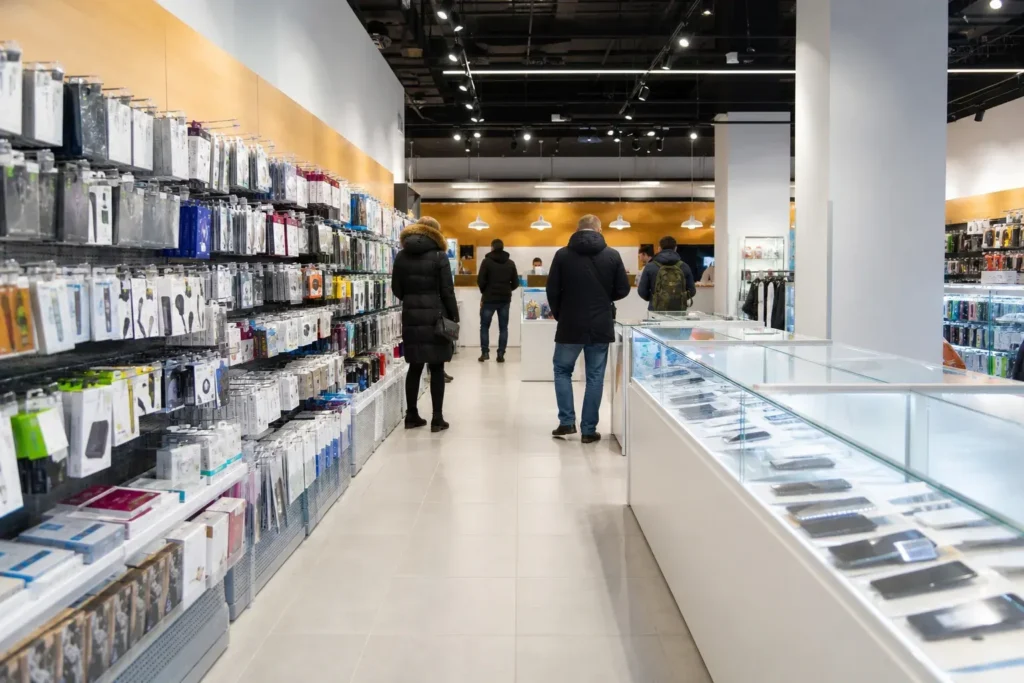
This DNS Moscow guide covers a Russian electronics and household appliance chain, headquartered in Vladivostok, that also trades as DNS Technopoint. Its Moscow branches are large stores, often on an upper floor of a shopping center, with computers, phones, accessories and appliances.
For a visitor, DNS is mainly useful for replacing a forgotten charger, cable, adapter, headphones or memory card at ordinary prices. The signs, tags and staff are in Russian, many items are collected at a pickup counter, and payment needs some planning, so this page explains what the stores sell, how they work, the typical hours and how to find a branch near where you are staying.
Quick Facts
| Russian name | ДНС |
|---|---|
| Address | Komsomolskaya Square 6, third floor, Moscow (a branch listed by a map service; the chain has no single flagship) |
| Metro | Komsomolskaya (Line 1, red, and Line 5, brown, about 200 meters from the Komsomolskaya Square branch, per a map listing) |
| Opening hours | Moscow branches are listed as open until about 22:00, and some branches elsewhere close at 21:00, so hours vary by location (as of October 2026 – check the official site). |
| Best time to visit | Weekday mornings and the middle of the day are the calmest; weekends and the evening after work are the busiest. Moscow branches are listed open until about 22:00, so a late-afternoon visit works, and hours vary by branch, so check the one you plan to use. |
| Recommended duration | 15 to 45 minutes |
| Website | dns-shop.ru |
| Last updated | October 8, 2026 |
Why Visit DNS?
DNS is the practical answer to a broken or forgotten gadget. The stores stock phone and computer accessories, cables, chargers, power adapters, headphones, storage and small appliances at ordinary prices, and a central branch is listed at Komsomolskaya Square, a few minutes from three railway stations, which makes it easy to reach on arrival or departure.
It also shows how Russians buy electronics: goods are ordered at a terminal or from a catalog and collected at a pickup counter, and the chain’s map listings mention pickup points and delivery. Hours are long, with Moscow branches listed until about 22:00, so a late-afternoon visit works. Prices on the shelf tags are in rubles, and the stores are large and busy at weekends.
Highlights of DNS
Chargers, cables and adapters
The accessory shelves hold phone and laptop chargers, USB cables, power banks and plug adapters, which is the most useful category for a visitor. Russian sockets differ from those in many countries, so an adapter or a charger with the right plug is a common purchase. Check the voltage and the plug type on the label, and use a translation app for the specifications, which are in Russian.
Tip: Bring the old charger or a photo of its rating label so staff can match the specification.
Headphones, memory cards and storage
Stores stock headphones, memory cards, flash drives and external drives in a range of prices. They are useful if a device failed on the trip or you ran out of space for photographs. Check that packaging is sealed and ask staff to test an item at the counter, since returns for travelers are impractical.
Tip: Buy storage only in sealed packaging and keep the receipt.
Phone and computer accessories
Cases, screen protectors, mouse and keyboard sets, laptop bags and small computer accessories fill much of the floor. They are cheap replacements if something broke or went missing. Staff may help with fitting a screen protector if you ask, but the language barrier is real, so show the phone model or a photograph of it.
Tip: Show the exact phone model on the screen, since accessories are model-specific.
Pickup counter and delivery
Map listings of branches mention pickup points and delivery, and the chain sells many items for collection at a counter after ordering at a terminal or online. This system is aimed at residents with the Russian site and phone numbers. If a branch sells from the floor, you can pay at the till as in any shop, so ask staff how the branch works before you queue.
Tip: Ask a staff member whether the item is on the shelf, since not everything is sold from the floor.
Household appliances
The stores also sell kitchen and household appliances such as kettles, irons and small heaters, with built-in appliances in some branches. For a short stay these are of limited use, but a kettle or an iron can help if you rent an apartment. Check the plug and the voltage on the label before buying.
Tip: For apartment stays, check whether the host already provides basic appliances.
A central branch near three railway stations
A map service lists a branch at Komsomolskaya Square 6 on the third floor, about 200 meters from Komsomolskaya Metro and within sight of the Leningradsky, Yaroslavsky and Kazansky railway terminals. This makes it a convenient stop before a train. Check the posted hours and the floor, since the store is on an upper level of a building.
Tip: Check the exact floor and the entrance before you go, since the branch is not at street level.
Atmosphere
A DNS store is large and bright, with long aisles of shelves of gadgets under bold lighting, glass cases of phones and a service counter at the back. The mood is busy and practical, with shoppers comparing specifications and staff moving between the floor and the pickup counter.
Weekends and the evening after work are the busiest times, while weekday mornings are calmer. Signs and tags are in Russian only, so a translation app helps, and staff rarely speak English. Many branches sit on an upper floor of a shopping center, so the entrance can be inside the building.
History of DNS
DNS began in Vladivostok as a small computer business that sold hand-assembled computers, and the company is still headquartered there. From 2005 it began to expand across Russia, opening branches in many cities, and by mid-2013 the chain had more than 700 stores in over 200 cities.
In 2014 the company acquired the Computer World chain, and in 2021 it opened its first branches outside Russia. The company also operates stores under the DNS Technopoint banner, which is how many map services list its branches, including those in Moscow. Store numbers change, and some branches have closed, so check the official site for current information.
Tickets and Booking for DNS
Payment. Cash in rubles is the safe option. Map listings mention card payment, but which cards work for foreign visitors was not verified: foreign Visa and Mastercard cards are reported not to work in Russia, and your country’s sanctions rules may restrict some payment services, so check this yourself. Russian Mir cards and local apps are common but are not for foreign visitors in general.
At the store. Many items are sold through a pickup counter or terminal with a Russian interface, so ask staff how the branch works before you queue. Keep the receipt, since warranty and returns for travelers are impractical. Carrier bags may be sold at the till.
Finding a store. Use the store locator on the official site dns-shop.ru, in Russian, or search a map app for DNS Technopoint, and check that the branch is open, since a few listings are marked shut down.
How to Get to DNS
DNS is a chain, so there is no single address. In Moscow the branches are mostly on upper floors of shopping centers and in some large buildings, and a central branch is listed at Komsomolskaya Square 6 on the third floor, about 200 meters from Komsomolskaya Metro (Line 1, red, and Line 5, brown).
- Find the nearest store: use the locator on the official site, or search a map service for DNS Technopoint.
- Komsomolskaya Square: the branch is near the Leningradsky, Yaroslavsky and Kazansky railway terminals, so it works before or after a train.
- Check the floor: many branches are on an upper level, so confirm the entrance and the floor.
Accessibility
Stores are large, mostly in shopping centers with lifts and escalators, and some branches elsewhere list a ramp, while others are on upper floors that need a lift. Accessibility is not uniform across the chain, so check a specific branch or ask on the spot if you need step-free access.
Food Nearby
The stores are not food stops, but shopping centers have food courts and cafes, and the Komsomolskaya Square area has many places to eat. For groceries see Pyaterochka, Perekrestok and VkusVill, and for sit-down Russian dishes see the Moscow Food Tour: Russian Cuisine and Local Specialties itinerary.
What to Bring
Bring the device or a photo of its model and rating label, cash in rubles and a phone with a translation app. Keep your valuables close in the crowded weekend hours.
Photography Rules
Taking photographs of products for yourself is generally fine, but do not photograph staff or other customers, and follow any signs in the store. Flash and tripods are not appropriate in a shop, and staff may ask you to stop.
Family Suitability
Suitable for families for a quick replacement purchase, and shopping-center branches have lifts and escalators that suit strollers. The stores are large and busy at weekends, and electronics are not toys, so keep children close to the shelves.
Moscow Vibes Tips
- Bring the old charger or a photo of its rating label so staff can match the specification.
- Ask whether the item is on the shelf or must be collected at the pickup counter before you queue.
- Check the exact floor of the branch, since many are on an upper level of a shopping center.
- Use the Komsomolskaya Square branch before or after a train, since it is near three railway terminals.
- Keep the receipt and test the item at the counter, since returns for travelers are impractical.
- Carry small bills and your own bag, since bags may be sold separately.
Where to Find DNS in Moscow
DNS has branches across the city, so there is no single address to list. To find the closest one, search on Yandex Maps or Google Maps from your hotel or metro station.
More shops and store chains in Moscow
 Azbuka Vkusa
Main image: AI-generated illustration. It may not show the place exactly as it looks.
 Bristol
Main image: AI-generated illustration. It may not show the place exactly as it looks.
 Chitai-Gorod
Main image: AI-generated illustration. It may not show the place exactly as it looks.
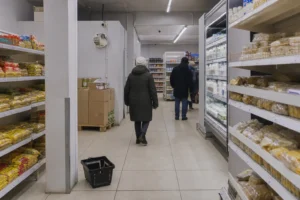 Chizhik
Main image: AI-generated illustration. It may not show the place exactly as it looks.
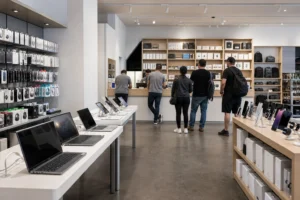 Citilink
Main image: AI-generated illustration. It may not show the place exactly as it looks.
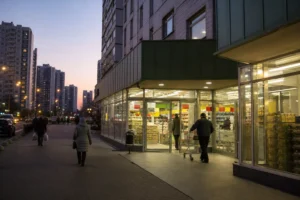 DA!
DA!Main image: AI-generated illustration. It may not show the place exactly as it looks.
Related guides
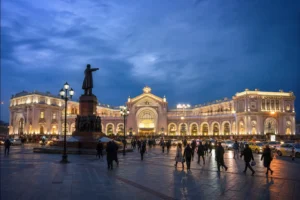 Belorussky Railway Terminal: Aeroexpress to Sheremetyevo and Metro
Main image: AI-generated illustration. It may not show the place exactly as it looks.
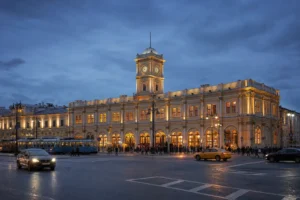 Leningradsky Railway Terminal: Sapsan to Saint Petersburg and Metro
Main image: AI-generated illustration. It may not show the place exactly as it looks.
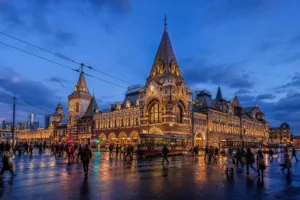 Yaroslavsky Railway Terminal: Trans-Siberian Trains, Metro and Tips
Main image: AI-generated illustration. It may not show the place exactly as it looks.
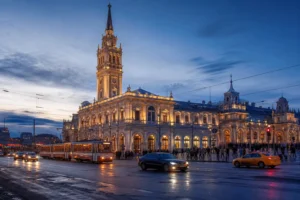 Kazansky Railway Terminal: Trains to Kazan, Ryazan and Metro
Main image: AI-generated illustration. It may not show the place exactly as it looks.
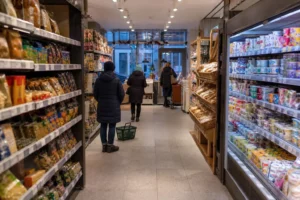 Pyaterochka: Moscow Supermarket Guide for Visitors
Main image: AI-generated illustration. It may not show the place exactly as it looks.
Browse more: All Electronics Stores · All Shopping
FAQ: DNS
Is DNS the same as DNS Technopoint?
The company trades under both names, and map services list its Moscow branches as DNS Technopoint.
Can I pay with a foreign card?
Foreign Visa and Mastercard cards are reported not to work in Russia, so carry cash in rubles; see the payment section for sanctions rules and other options.
What can a visitor buy there?
Chargers, cables, adapters, headphones, memory cards, phone and computer accessories and small appliances.
Is there a branch in central Moscow?
Yes, for example at Komsomolskaya Square 6 on the third floor, according to a map listing; confirm the branch before you go.
What are the opening hours?
Moscow branches are listed open until about 22:00, and hours vary by branch; check the one you plan to use.
Do the staff speak English?
Rarely, and the tags are in Russian, so use a translation app and show the model of your device.
Can I return an item as a visitor?
Returns and warranty rules for travelers were not verified and are impractical in a short stay; test the item at the counter and keep the receipt.
Do I need to know the plug type?
Check the plug and voltage on your device and on the adapter; staff can help match them if you show the label.
Discover More of Moscow with Our Travel Tips
Get practical Moscow travel tips, new destination guides and useful updates on attractions, opening hours and prices. Plan your visit with clear, helpful information delivered to your inbox.
Moscow Vibes is a one-person project. A coffee keeps it going
Last updated: October 8, 2026. Found an error or something out of date? Report it and we will check and fix it.
How we research and update our guides
About this guide: AI assistance and accuracy
This guide is created with the help of AI and is based on official sources where available. Mistakes can still happen. Opening hours, prices, rules and other details are given to the best of our knowledge as of the date shown and can change without notice. It offers general recommendations only, not professional, legal or travel advice. Please confirm important details with the official source before you travel; you are responsible for your own plans and decisions.
International sanctions affect payments between Russia and many other countries. In practice, cards issued in the EU, the UK, the US and several other countries often do not work in Russia, Russian cards usually do not work abroad, and some booking platforms, airlines and payment providers limit or suspend their services for Russia. The situation changes frequently. We do not give legal or financial advice, and this site does not encourage anyone to break or circumvent sanctions. Whatever you plan, you are responsible for following the laws and regulations that apply to you, including those of your country of residence and citizenship. Many travelers still organise their stay lawfully. It is worth asking your bank or payment provider what is currently permitted, contacting hotels, tour operators and carriers directly about the payment methods they accept, and checking which services are open to customers from your country. Clarify payment, cancellation and refund terms before you commit to a booking, and keep your plans flexible. Partner links on this site may not be available in every country, and prices, availability and rules in our guides can differ from what you see when you book.Paying for your trip: please read
Report an issue on this page
* Affiliate link: as an Amazon Associate we earn from qualifying purchases at no extra cost to you.
 Ask Masha