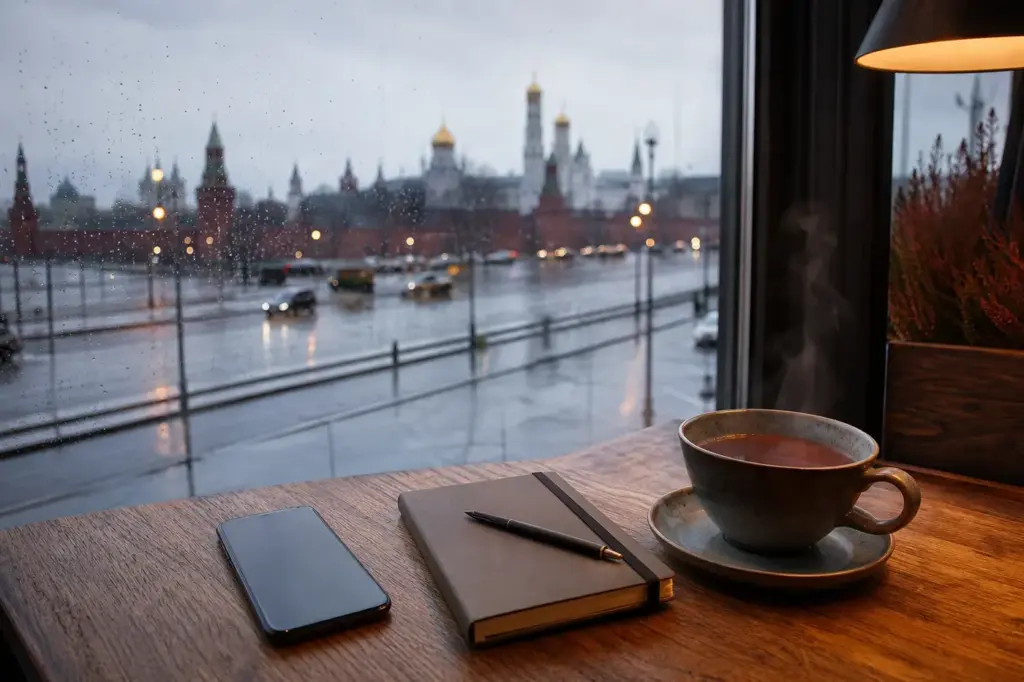
Mobile Phone and SIM Cards for long stays in Russia come down to one early decision: how you get a working number and mobile data before you need them. This guide is for people staying weeks or months in Moscow and other cities, who need maps, taxis, messengers, delivery apps and verification codes to work from day one. A Russian number often unlocks local services that a foreign one cannot.
It has ten entries: the eSIM route, what to know about a physical card, what to prepare at home, and the related guides on this site for Wi-Fi, offline maps, payments and registration. Rules and offers change often, so check the operator’s official site and the relevant authority as of November 2026. This is general information, not legal advice.
At a Glance
| # | Place | Best for | Good to know |
|---|---|---|---|
| 1 | eSIM for a Long Stay in Russia | Most practical option | Set up on your own phone; check the provider's official site for supported models and current terms. |
| 2 | Russian SIM Card for Foreign Tourists: SNILS, Gosuslugi and Biometrics Explained | Physical card and registration | Official operator channels; check current requirements as of November 2026. |
| 3 | Keeping Your Home Number for Verification Codes | Codes from home | Arrange at home before departure; ask your home provider and your bank. |
| 4 | How to get mobile internet in Moscow as a foreign visitor | Short-stay internet options | Moscow, any district; read before you travel. |
| 5 | How to navigate Moscow offline with maps and translation apps | Offline maps and translation | Download before you travel; saved maps work without a signal. |
| 6 | How to connect to public Wi-Fi in Moscow | Back-up internet | Cafes, malls and stations across Moscow; availability varies by place. |
| 7 | How to pay and exchange money in Moscow | Cash and local payments | Plan before you travel; confirm top-up methods on the provider's official site. |
| 8 | How to Get a Russian MIR Bank Card as a Foreign Visitor in Moscow | Local payment card | Bank branches and official sites; availability depends on your status. |
| 9 | Russia RuID App 2026–2027: Entry Registration Guide for Foreign Tourists | Entry registration | Applies around arrival; check the official source for current rules. |
| 10 | First 24 Hours in Moscow: Airport Arrival and Travel Setup Checklist | Arrival checklist | Moscow airports and city; read before you fly. |
How We Chose
Entries are chosen from official information and the guides on this site, not from personal tests. Each one answers a question a long-stay visitor meets in the first weeks:
- Does it help you get and keep a working mobile connection?
- Is it relevant to a stay of weeks or months rather than a short trip?
- Is it linked to a current guide on this site where more detail exists?
Payment note: bank cards issued outside Russia currently do not work in Russia, in shops or at ATMs, and Apple Pay and Google Pay do not work with them either. Plan for cash and for payment options that work locally, including for top-ups.
1. eSIM for a Long Stay in Russia – Most practical option
An eSIM is the practical way to get a mobile connection in Russia today. It installs digitally on a compatible phone, so there is no card to collect. Check before you buy that your phone supports eSIM and is not locked to one network, and ask the provider whether the plan gives data only or also a Russian number. A newly activated eSIM can be restricted for about 24 hours, which is normal, so do not count on it for urgent calls on day one.
Good to know: Set up on your own phone; check the provider's official site for supported models and current terms.
Tip: Install and test the profile on reliable Wi-Fi first, where the provider allows it.
2. Russian SIM Card for Foreign Tourists: SNILS, Gosuslugi and Biometrics Explained – Physical card and registration
A physical Russian SIM card is no longer easy for visitors to get and needs registration, so treat it as a plan B rather than an arrival-day errand. The linked guide explains the identity and account steps that can be involved and why they matter. For a long stay it is worth reading before you decide, because the route depends on your status and on what the operator currently accepts.
Using maps and apps a lot? A power bank could come in handy.
Good to know: Official operator channels; check current requirements as of November 2026.
Tip: Decide between eSIM and card before you travel, so you know which documents to bring.
3. Keeping Your Home Number for Verification Codes – Codes from home
Banks, accounts and travel apps from home often send one-time codes by text to your original number. On a long stay, decide in advance how you will receive them: keep the home line active in a second slot or eSIM profile if your phone supports two lines, or check with your home provider what roaming or alternatives they offer. Do not assume a code will arrive; test it before you leave.
Good to know: Arrange at home before departure; ask your home provider and your bank.
Tip: Write down which accounts use text codes, so you know what to switch to an app-based method before you travel.
4. How to get mobile internet in Moscow as a foreign visitor – Short-stay internet options
The companion guide for short visits. Read it for the arrival-week picture of getting online and for how short-stay options differ from a set-up meant to last months. It is the right companion if you land before your long-stay plan is sorted, because you will want data on the first day for maps, taxis and messages.
Good to know: Moscow, any district; read before you travel.
Tip: Have your first-day addresses and booking details ready as screenshots before the flight.
5. How to navigate Moscow offline with maps and translation apps – Offline maps and translation
Long stays go smoother when the phone can still work without a signal: saved maps, offline translation packs and screenshots of key addresses. The linked guide covers the practical setup. Do the downloads on home Wi-Fi, because large map and language files are slow to fetch on a new connection in the first hours. Street signs and many labels are in Cyrillic, so a translation app that can read the camera image pays off in the first weeks.
Good to know: Download before you travel; saved maps work without a signal.
Tip: Download the offline map of the whole city, not only the centre, if you plan to travel to other districts.
6. How to connect to public Wi-Fi in Moscow – Back-up internet
Public Wi-Fi is a useful back-up while a new eSIM is still settling or a plan runs out of data. Some networks in cafes, malls and stations ask you to register or sign in first, and speeds are uneven, so it suits maps and messages better than long video calls. The linked guide explains the usual steps. Avoid banking or password entry on open networks.
Good to know: Cafes, malls and stations across Moscow; availability varies by place.
Tip: Turn off automatic joining of open networks on your phone and connect by hand when you need to.
7. How to pay and exchange money in Moscow – Cash and local payments
A phone plan is only half of staying connected: top-ups and subscriptions also need a way to pay. This guide covers cash and the payment options that work locally. Ask the provider how you can top up or renew, and whether cash or a local payment option is accepted. Keep a small cash reserve for the first days.
Settling into the room? A sleep mask may be a useful extra.
Good to know: Plan before you travel; confirm top-up methods on the provider's official site.
Tip: Ask whether the plan renews automatically, and what happens if a payment fails.
8. How to Get a Russian MIR Bank Card as a Foreign Visitor in Moscow – Local payment card
For a stay of months, a locally working payment card can make top-ups and subscriptions simpler. The linked guide explains the process for foreign visitors and what to check first. Requirements vary by bank and status, so confirm everything with the bank and official sources as of November 2026. Do not plan on having it in your first days; this is general information, not financial advice.
Good to know: Bank branches and official sites; availability depends on your status.
Tip: Ask the bank which documents it wants and whether an appointment is needed before you go.
9. Russia RuID App 2026–2027: Entry Registration Guide for Foreign Tourists – Entry registration
Beyond connectivity, a long stay can involve entry-related registration steps, and the linked guide explains the RuID app side of it for foreign tourists. Because an app on your phone is involved, sort your connection first. Rules and requirements change and may depend on nationality, so confirm everything with the official source as of November 2026. This is general information, not legal advice.
Good to know: Applies around arrival; check the official source for current rules.
Tip: Keep a screenshot of every confirmation you receive, and install official apps while you still have Wi-Fi.
10. First 24 Hours in Moscow: Airport Arrival and Travel Setup Checklist – Arrival checklist
A long stay starts with a short first day. This checklist covers airport arrival and the travel setup to do first. Use it to put the steps in this list in order: connection first, then maps, then payments, then registration-related apps. Save a copy offline before you fly, so it opens even without data.
Good to know: Moscow airports and city; read before you fly.
Tip: Tell your hotel or host your arrival time, so someone knows when to expect you if your phone is not working yet.
Moscow Vibes Tips
- Screenshot every activation code, confirmation and receipt. Support desks and registration steps may ask for them weeks later.
- Note your phone's model and IMEI number before you travel. Providers may ask which device an eSIM is for.
- Send your new number to family, your employer and your landlord once it works, and keep the old one in a note so nobody loses touch during the switch.
- Update your phone software and apps at home. Large updates over a new connection waste data and time in the first days.
- Carry a power bank. Maps, translation and a hotspot drain the battery fast, and long city days add up.
Keep reading
Related guides


Places to see


FAQ
Can I use an eSIM in Russia on a long stay?
Yes, an eSIM is the practical option for visitors today, provided your phone supports eSIM and is not locked to one network. Plans, supported phones and activation steps differ by provider, so read the provider's official page before you buy and confirm the current terms as of November 2026.
Is a physical Russian SIM card easy to get?
No. A physical card is no longer easy for visitors and involves registration, so an eSIM is the practical option. The list entry on physical cards and the linked guide explain what is involved. Confirm the current requirements with the operator before relying on this route.
What if a new eSIM still has no service?
Give it about a day first. If there is still nothing, check that the eSIM line is switched on for mobile data, that the phone is not set to use only your home line, and that data roaming is allowed if the provider says it is needed. Then contact the provider's support, with your activation confirmation ready.
Can I keep my home number while I am in Russia?
Often yes, if you keep your home line active in a second slot or eSIM profile, but roaming conditions and costs depend on your home provider. Ask them before you leave and test that a text reaches you once you arrive. Do not cancel the home line before you travel, because some accounts need it to recover access.
Do I need a Russian phone number for a long stay?
Many local services, such as deliveries, taxi apps and some accounts, ask for a phone number to sign in or confirm an order, and a data-only eSIM may not give you one. Check what each plan includes before buying, and decide which services you actually need.
Can I top up my Russian plan with a foreign bank card?
No. The payment note above explains the current situation: plan for cash or locally working options and ask your provider which top-up routes are open to you. The guide How to pay and exchange money in Moscow covers the practical side.
Can public Wi-Fi replace a mobile plan?
Not for a long stay. Coverage and sign-in rules vary by place, speeds are uneven, and you lose maps and messages the moment you step outside the network. Use Wi-Fi as a back-up, as described in the Wi-Fi entry, rather than as your main connection.
Who do I call in an emergency in Moscow?
Read How to contact emergency services in Moscow before you travel and save the numbers it lists in your phone. Do this at home, because you should not have to search for them while you wait for a new connection to start working. Also tell a contact where you are staying.
Discover More of Moscow with Our Travel Tips
Get practical Moscow travel tips, new destination guides and useful updates on attractions, opening hours and prices. Plan your visit with clear, helpful information delivered to your inbox.
Moscow Vibes is a one-person project. A coffee keeps it going
More in this section: Living in Moscow
Get a free PDF of this guide to print or read offline: key facts, tips and a map link on a few clean pages.
Take this guide with you
About this page
Report an issue on this page
Paying for your trip: please read
Payments and bookings between Russia and many other countries are currently restricted. In practice, cards issued in the EU, the UK, the US and several other countries often cannot be used in Russia, Russian cards usually cannot be used abroad, and some booking platforms, airlines and payment providers limit or pause their services for Russia. The situation changes frequently.
We do not give legal or financial advice, and this site does not encourage anyone to break any rule that applies to them. Whatever you plan, you are responsible for following the laws and regulations that apply to you, including those of your country of residence and citizenship.
Many travelers still organise their stay without problems. It is worth asking your bank or payment provider what is currently possible, contacting hotels, tour operators and carriers directly about the payment methods they accept, and checking which services are open to customers from your country. Clarify payment, cancellation and refund terms before you commit to a booking, and keep your plans flexible.
Partner links on this site may not be available in every country, and prices, availability and rules in our guides can differ from what you see when you book.
How we research and update our guides
About this guide: AI assistance and accuracy
This guide is created with the help of AI and is based on official sources where available. Mistakes can still happen. Opening hours, prices, rules and other details are given to the best of our knowledge as of the date shown and can change without notice. It offers general recommendations only, not professional, legal or travel advice. Please confirm important details with the official source before you travel; you are responsible for your own plans and decisions.
* Affiliate link: as an Amazon Associate we earn from qualifying purchases at no extra cost to you.